 BestyTalk
Account Deletion
Users can permanently delete their BestyTalk account directly through the BestyTalk mobile application.
Deletion Path
Profile
arrow_forward
Delete Account
How to Delete Your Account
- Open the BestyTalk mobile application and log in to your account.
- Go to the "Profile" section.
- Scroll down to the account options.
- Select "Delete Account".
- A confirmation dialog titled "Delete Account?" will appear.
- Review the warning that account deletion is permanent and that all coins will be lost.
- Select "Delete Account" to permanently delete the account.
- Select "Cancel" if you do not want to continue.
Visual Guide
Step
1
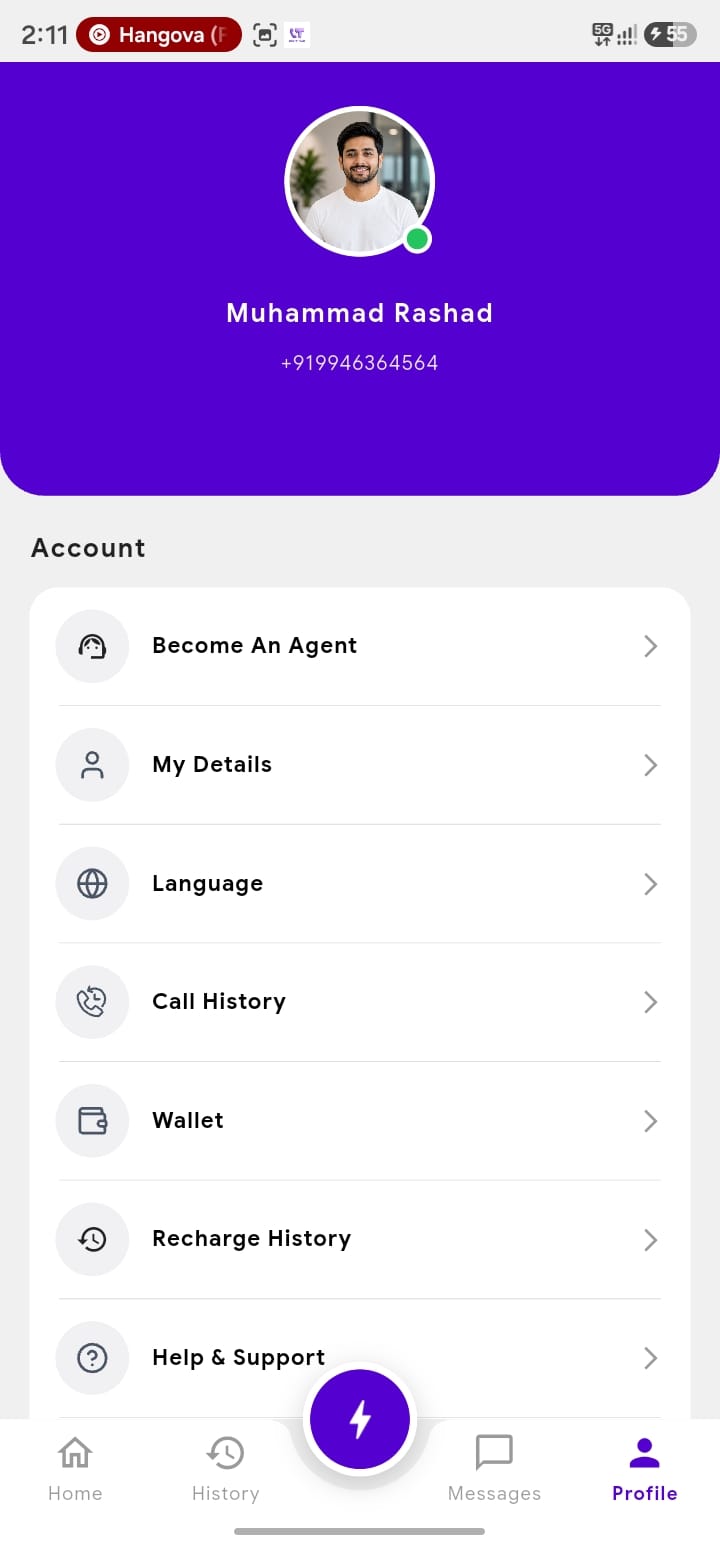
Open Profile
Step
2
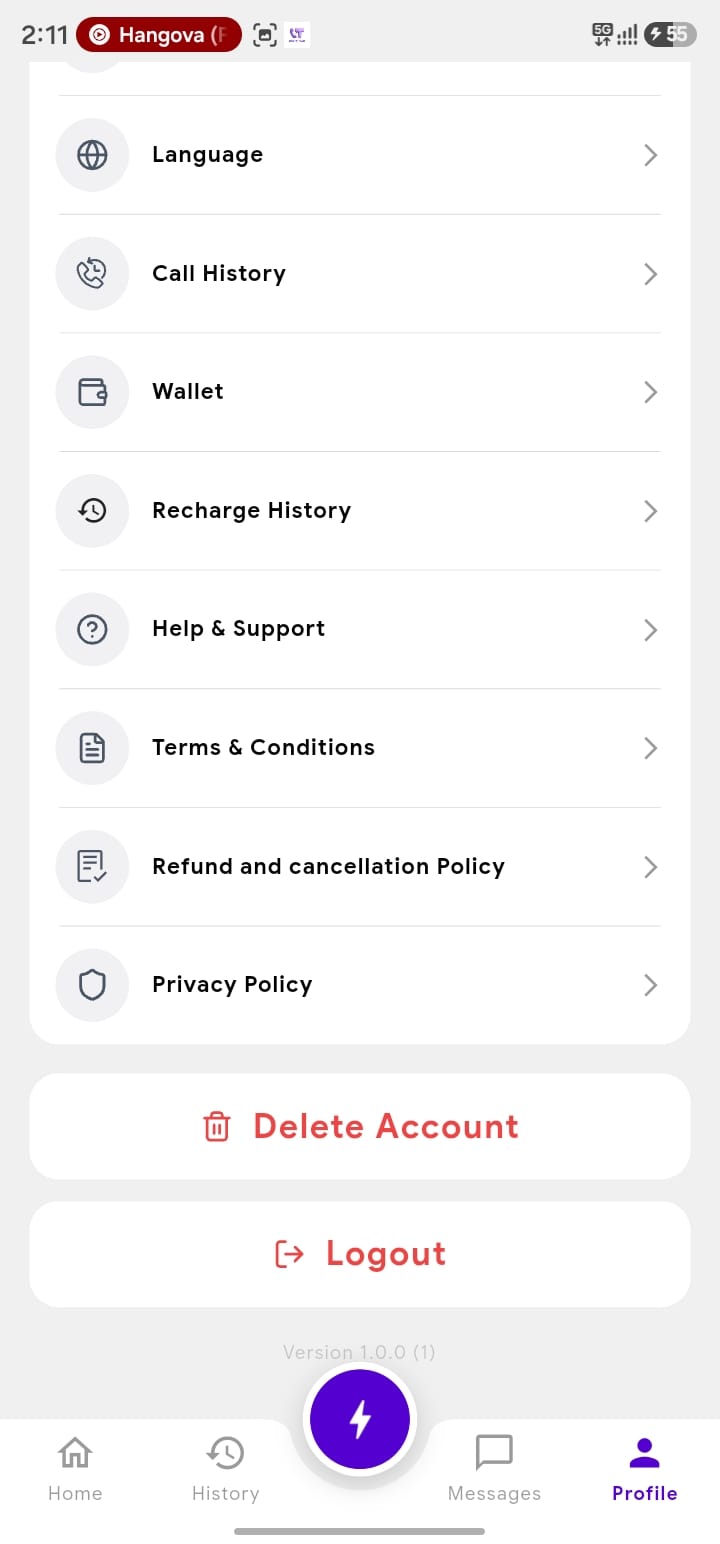
Select Delete Account
Step
3
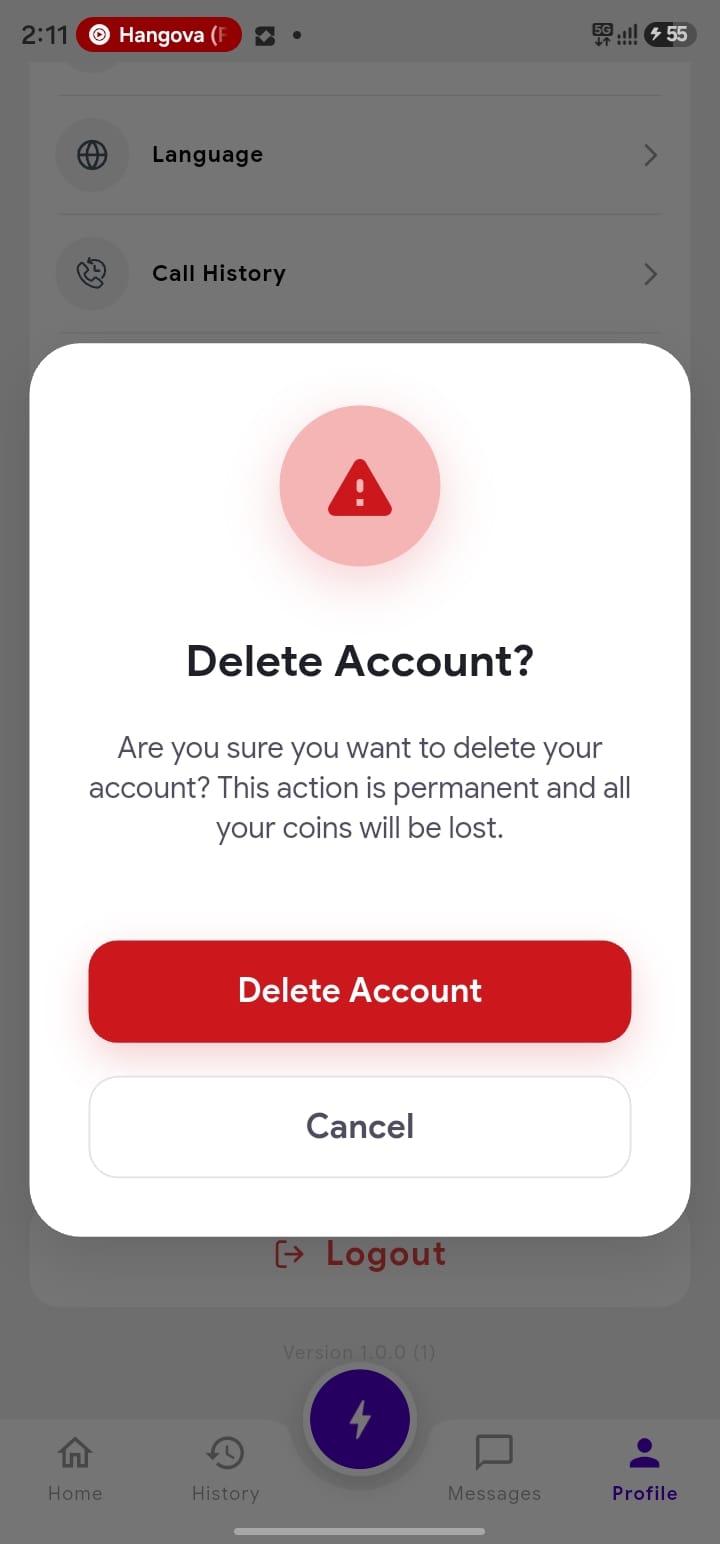
Confirm Account Deletion
Important Information
- Account deletion is permanent and cannot be undone.
- Deleting your account may result in the permanent loss of your profile information, account activity, and available coins or other account-related balances.
- Information that is required to be retained for legal, regulatory, security, fraud-prevention, or other legitimate purposes may be retained in accordance with applicable law and the BestyTalk Privacy Policy.
Need Help?
If you have questions or encounter any issues during the deletion process, please visit our Contact Support page or email us directly at info@bestytalk.in. We are always here to help.